 Boreal Studio
Is that PNG background white, gray or transparent?
Compare transparent and white-background PNGs, make a small edit in Photo, then export and check the downloaded pixels.
By Boreal Studio · Published
Open PhotoA white or gray background does not tell you the alpha
A viewer can display transparent pixels over white, gray or a checkerboard. Those display colors are not necessarily part of the image. A PNG can also contain an opaque white background: the .png extension alone does not prove transparency.
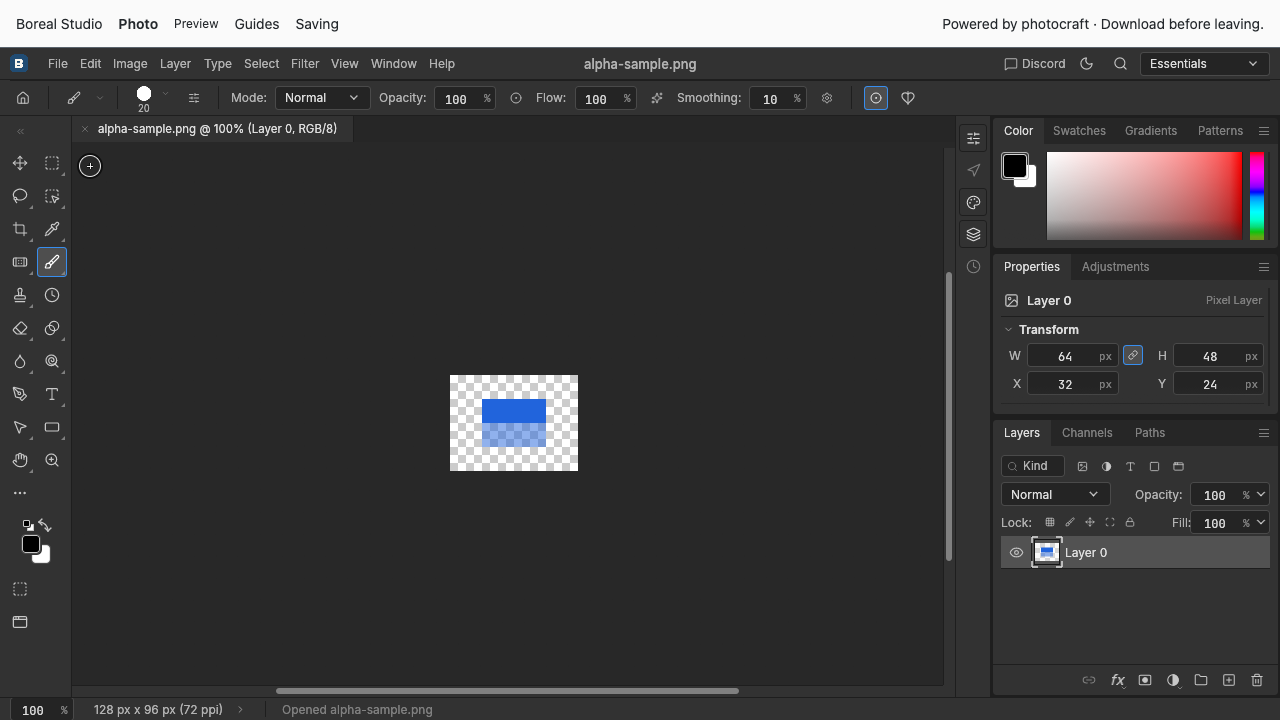
Try these 128 × 96 examples. The transparent sample has clear outer pixels, an opaque blue upper rectangle and a half-transparent lower rectangle. The white-background copy is the same image flattened onto white. Switch this website’s color theme to compare their backgrounds.

Download transparent input

Download white-background comparison
Open the transparent input and make a small edit
Download the transparent input. In Photo, choose File → Open and select it. The editor uses a checkerboard behind transparent areas. Select Brush and paint a short black stroke inside the upper blue rectangle; leave the corners and lower-left part of the rectangle untouched.
If Photo cannot start with its default renderer, try the WebGL renderer.
Export PNG, then check the downloaded copy
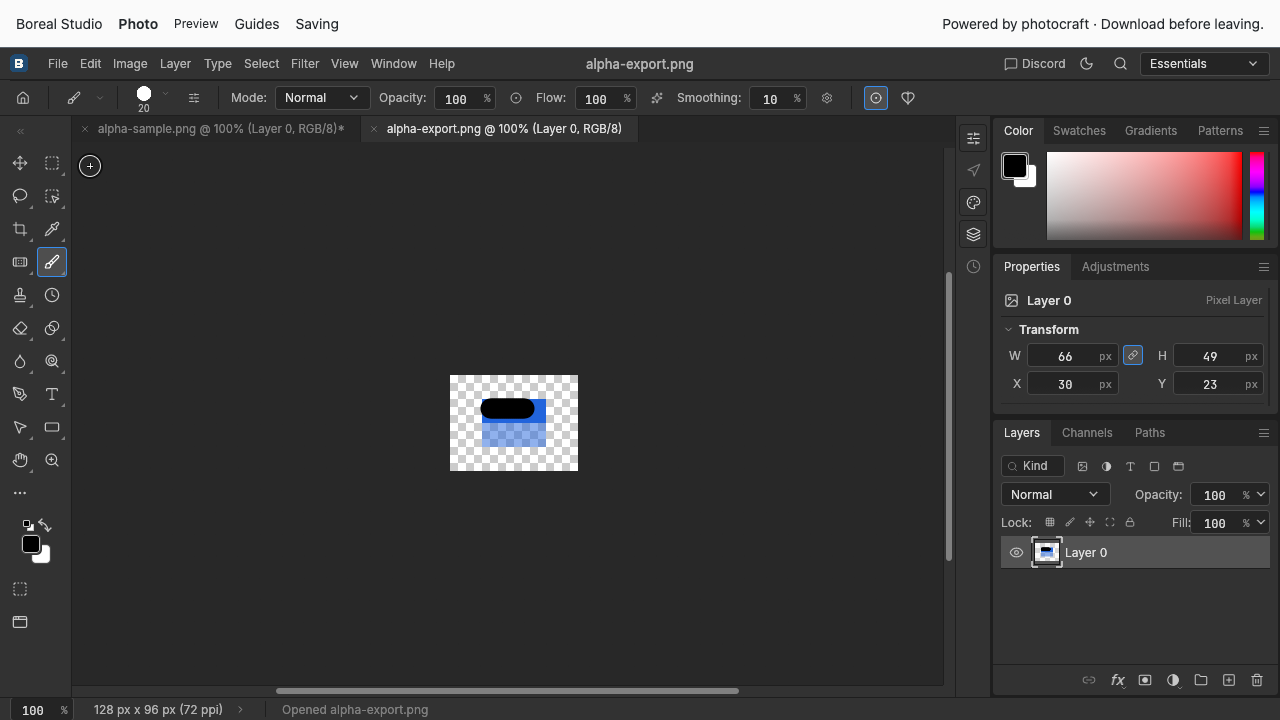
Choose File → Export → Quick Export as PNG. Find the download, then use File → Open to reopen it. Check that it is still 128 × 96, your stroke is visible, the outer area is transparent and the lower rectangle still shows through to the backdrop.

Download checked transparent output
For this sample we also inspected the downloaded pixels: untouched corners had alpha 0, the untouched lower rectangle had alpha 128, and the upper rectangle had alpha 255. Alpha 0 is transparent, 255 is opaque, and values between them are partly transparent.
When your own image behaves differently
Open the original and exported copy against the same backdrop. If both have a white background inside the canvas, the original may already contain white pixels. Exporting as PNG does not automatically remove a background. Avoid flattening onto a solid background when transparency matters, and keep the original.
Checked locally and on studio.borealbit.com with PhotoCraft 0.6 in Chrome using software WebGL. This small 8-bit sample does not establish background removal, general color-profile accuracy, layered PSD support or every PNG variant.